
A healthcare link in bio for your whole practice.
Patients find you on Instagram and TikTok every day. When they tap your bio link, send them somewhere useful: your website, hours, scheduling, and trusted health education for your community.
Included on every plan · Most practices are live in under 15 minutes
Spend 30 minutes with someone who understands healthcare and walk away with a clear picture of how your practice shows up for patients between visits.
5,000+
healthcare providers using Social Cascade
300+
trusted health organizations
<15 min
typical setup time
Generic link tools weren't built for healthcare. Your patients deserve better.
Most bio-link tools were built for personal brands and online stores: a flat list of URLs, no health context, and someone else's branding on a page your patients associate with your practice.
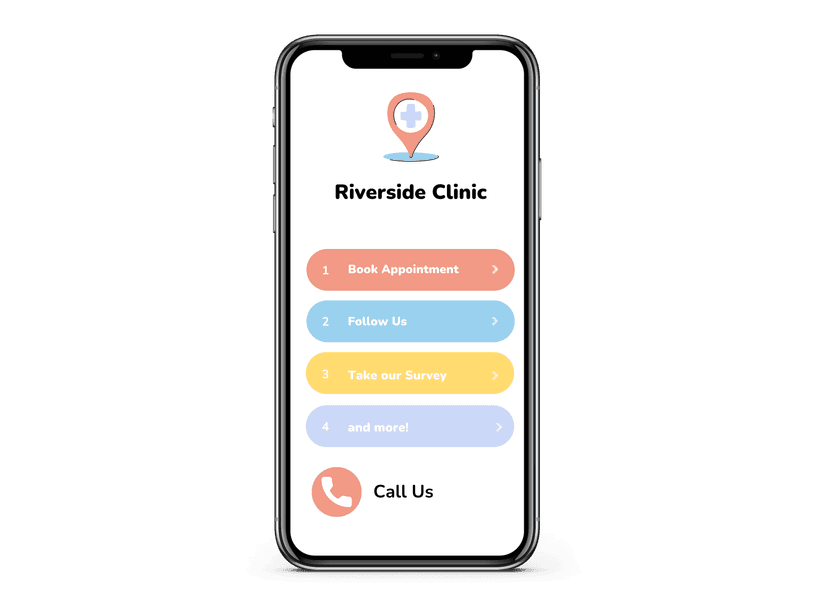
Social Cascade gives you a branded page that combines your scheduling, hours, portal, and phone with curated education from organizations like the AAP, CDC, and Children's National. Patients get what they came for — and your practice stays in the center of it.
Scheduling, education, and your brand — one tap away.
Book, call, or log in
Website, scheduling, patient portal, office hours, and phone — everything a patient needs after finding you on social media, without calling your front desk.
Trusted answers between visits
Content from 300+ trusted health organizations, matched to your specialty and community — so patients see helpful guidance, not ads.
They know they’re in the right place
Your practice name, logo, and colors — no third-party branding competing for attention on a page that should feel like an extension of your care.
Live in minutes. Patients use it every day.
1
Add your practice links
In Social Cascade, add the links patients need most: scheduling, portal, hours, phone, and your website.
2
Update your bio
Copy your learnmore.health link and paste it into your Instagram, TikTok, Facebook, or any other profile bio. One link replaces every outdated URL.
3
Patients book, learn, and stay connected
Every bio tap opens your branded page — practice links up top, trusted health education below. No extra work from you after setup.
Already on Social Cascade? Enable Link in Bio in Account Settings.
Every bio tap is a patient ready to take a next step.
More patients find practices on social than ever before. When someone taps your bio link after watching your post, they're not browsing — they're trying to schedule, check hours, or learn more. Send them somewhere that completes that intent instead of losing it to a dead link or a generic page.
Questions about Link in Bio
What is Link in Bio?
How long does setup take?
How much does Link in Bio cost?
How is this different from Linktree or similar tools?
We already use Social Cascade — how do we turn this on?
Can I customize what patients see?
Will it work with my existing social media profiles?
Can I track how many patients click through?
Stop losing patients at your bio link.
Link in Bio is included on every Social Cascade plan — alongside publishing, content library, and analytics that keep your practice visible between visits.